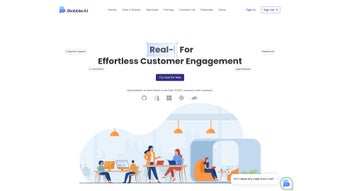

Download Babble – AI Chatbot for Customer Engagement, Free 7‑Day Trial
Overview
Babble is a cloud‑based AI chatbot platform that harnesses the latest Chat‑GPT language model to create natural, human‑like conversations for businesses of any scale. The service is built around a zero‑code visual builder, allowing marketers, support teams, and sales professionals to design sophisticated dialogue flows without writing a single line of code. From instant lead capture on a landing page to 24/7 technical support on a corporate portal, Babble adapts to a wide range of use‑cases while remaining secure, GDPR‑compliant, and continuously updated with the newest AI improvements.
Its drag‑and‑drop interface lets you customize tone, branding, and conditional logic, while built‑in analytics turn each interaction into actionable insight. Whether you run a boutique e‑commerce shop, a growing SaaS startup, or an enterprise with global reach, Babble’s flexible pricing—starting with a 7‑day free trial—makes it easy to test the technology before committing. In short, Babble combines cutting‑edge natural language understanding, effortless deployment, and robust reporting to help companies improve customer satisfaction, increase conversion rates, and reduce support overhead.
Key Features & Benefits
- AI‑Powered Natural Language Understanding powered by Chat‑GPT for fluid, context‑aware replies.
- Zero‑code visual chatbot builder with drag‑and‑drop flow editor.
- Full branding control: custom colors, logos, welcome messages, and tone settings.
- One‑click integration via JavaScript widget for websites and WhatsApp Business API.
- 24/7 automated support, lead capture, and product recommendation engine.
- Real‑time analytics dashboard featuring conversation metrics, sentiment tracking, and conversion funnels.
- Multi‑language support for over 20 languages, plus custom language packs.
- GDPR‑compliant data handling with end‑to‑end encryption.
- Free 7‑day trial and tiered pricing that scales from startups to high‑volume enterprises.
- Automatic AI model updates and feature rollouts without user intervention.
Pros
- Intuitive visual builder eliminates the need for developers.
- Context‑aware AI reduces fallback rates and improves user satisfaction.
- Rapid deployment: bots can be live on a site within minutes.
- Deep analytics enable data‑driven optimization of conversation flows.
- Strong security and GDPR compliance protect customer data.
- Scalable pricing adapts as interaction volume grows.
Cons
- Advanced conditional logic may require a short learning curve for non‑technical users.
- WhatsApp Business API integration needs separate verification, which can add time.
- High‑volume plans can become pricey for very large enterprises.
- Service depends on internet connectivity; offline mode is not available.
Installation, Setup, Daily Use & Frequently Asked Questions
Babble is delivered as a fully hosted SaaS solution, meaning you never install software locally. After registering for the free trial, you gain immediate access to a personalized dashboard where you can build, test, and publish bots in under ten minutes. The platform works flawlessly on any modern browser—Chrome, Edge, Firefox, or Safari—across Windows 10/11, macOS Ventura+, Linux, Android 9+, and iOS 13+. Because everything runs in the cloud, updates are applied automatically, guaranteeing you always have the latest AI capabilities without manual patches.
- Create an account: Visit the Babble website, click “Start Free Trial,” fill out the registration form, and verify your email.
- Launch the builder: From the dashboard, select “New Bot.” Choose a pre‑built template (e.g., Customer Support, Lead Generation) or start from scratch.
- Design conversation flows: Drag nodes such as greetings, FAQs, product suggestions, and escalation to live agents onto the canvas. Set conditional branches based on user inputs, keywords, or sentiment scores.
- Brand your bot: Upload your logo, pick brand colors, and craft a welcome message that matches your company voice.
- Integrate: Copy the generated JavaScript snippet and paste it into the
orof your website. For WhatsApp, follow the guided wizard to link your Business API credentials. - Test & publish: Use the built‑in simulator to run sample chats. When satisfied, click “Publish” and the bot goes live instantly.
- Monitor & optimize: The analytics panel shows session length, conversion rates, sentiment trends, and drop‑off points. Use these insights to refine flows, add new intents, or adjust messaging.
Compatibility: Because Babble runs entirely in the cloud, it is compatible with Windows 10/11, macOS Ventura and later, major Linux distributions, Android 9+ devices, and iOS 13+ browsers. No additional downloads or plugins are required, ensuring a smooth, secure experience for both administrators and end‑users.
FAQ
Can I build a chatbot without any programming knowledge?
Yes. Babble’s drag‑and‑drop builder is designed for non‑technical users. All components—greetings, FAQs, conditional branches—are added visually, and you can customize text directly in the interface.
Is there a free version or trial?
Babble offers a 7‑day free trial with full access to every feature. After the trial, you can select from tiered paid plans that match your interaction volume.
How does Babble ensure data privacy?
All data is encrypted in transit (TLS) and at rest (AES‑256). Babble complies with GDPR, providing data‑subject access requests, the ability to delete conversation histories, and detailed audit logs.
Can Babble integrate with my existing CRM or ticketing system?
Yes. Babble supports webhooks and native connectors for popular CRMs (HubSpot, Salesforce) and ticketing platforms (Zendesk, Freshdesk). You can route qualified leads or support tickets directly from the chatbot.
What languages does Babble support?
Babble ships with over 20 built‑in languages, including English, Spanish, French, German, Chinese, and Arabic. Custom language packs can be added for niche markets.
Conclusion & Call to Action
Babble delivers a powerful blend of AI‑driven conversation, zero‑code development, and enterprise‑grade analytics—all wrapped in a secure, cloud‑native platform. The ability to launch a fully branded chatbot in minutes, coupled with real‑time insights and seamless integrations, makes it a compelling choice for businesses aiming to boost engagement, capture leads, and lower support costs. The 7‑day free trial eliminates risk, allowing you to experience the platform’s capabilities before committing to a paid plan. If you are looking for a reliable, scalable chatbot solution that grows with your organization while keeping data privacy front‑and‑center, Babble is well worth a closer look.
Ready to see AI‑powered conversations in action? Start your free trial today and let Babble help you convert visitors into loyal customers, 24/7.



.png)



